Simple virtual keyboard for casual piano practice, basic recording, and lighthearted musical experimentation
Simple virtual keyboard for casual piano practice, basic recording, and lighthearted musical experimentation
Vote (7 votes)
Program license Free
Developer Media Freeware
Version 1.0
Works under Windows
Vote
(7 votes)
Developer
Media Freeware
Works under
Windows
Program license
Free
Version
1.0
Pros
- Simple and quick installation
- Easy-to-use interface
- Reliable basic piano sound for casual use
- Recording and playback features
- Completely free
Cons
- Sound drops out with fast key presses
- No customizable key mapping
- Lacks advanced features such as MIDI support
- No velocity or sustain controls
- Limited appeal for advanced musicians
A lightweight digital piano app offering basic piano simulation for beginners and casual users.
Overview
Free Virtual Piano for Windows provides a straightforward way for users to experience piano playing without investing in an actual instrument. Designed with simplicity in mind, the app appeals primarily to beginners and those seeking a cost-free introduction to piano basics.
Installation and Interface
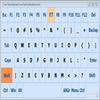
The installation process is quick and direct, requiring minimal user input. Once installed, Free Virtual Piano launches to a clean interface that replicates a standard piano keyboard. The design features a visually appealing but uncomplicated layout, with functional piano keys, a note display bar, and a set of simple controls neatly arranged at the top. Decorative elements, such as side speakers, enhance the look without complicating usage.
The controls are accessible, with options to change octaves and adjust volume. Users can play with the mouse or utilize corresponding keys on their PC keyboard, helping beginners to familiarize themselves with piano notes easily. However, the absence of customizable key mapping may limit usability for advanced players or those accustomed to specific keyboard layouts.
Performance and Sound Quality
Free Virtual Piano’s sound engine does a reasonable job of simulating acoustic piano tones. The notes are clear and pleasant, making this app suitable for practice, experimentation, or casual music creation. That said, rapid or complex key sequences sometimes result in audio cutoffs, especially when playing fast passages. This can disrupt the flow for users working on rhythm or more advanced techniques.
The app also features a recording function, allowing users to capture their practice sessions or simple compositions. Playback of recorded pieces is supported, making it helpful for reviewing progress or sharing results.
Functionality and Features
Free Virtual Piano prioritizes core functionality, offering a selection of octaves and the ability to play via computer keys. The note display bar at the top highlights the note being played, which can assist beginners with learning note names and positions. However, the lack of individual key labels on the virtual keyboard itself may slow down new learners who rely on visual cues. The app does not offer MIDI output or advanced customization, and there is no support for velocity sensitivity or sustain pedal input. While it can be connected to some external devices for improved playability, the focus of this software remains on uncomplicated piano access rather than professional features.
Suitability
Free Virtual Piano excels as an introductory tool for learning piano basics, casual music practice, or experimenting with melodies. It can be enjoyable for children, students, or anyone seeking a simple musical diversion. More advanced users or musicians looking for a realistic simulation or deeper composition features may find the software lacking.
Conclusion
As a free, lightweight piano simulator, Free Virtual Piano fills the needs of beginners and hobbyists who want quick access to piano practice without cost or complexity. While limited in some aspects, its ease of use, dependable core features, and no-nonsense interface make it a worthwhile option for entry-level music exploration.
Pros
- Simple and quick installation
- Easy-to-use interface
- Reliable basic piano sound for casual use
- Recording and playback features
- Completely free
Cons
- Sound drops out with fast key presses
- No customizable key mapping
- Lacks advanced features such as MIDI support
- No velocity or sustain controls
- Limited appeal for advanced musicians